Player's guide
Getting started in Pacific Ironwake
Controls, reading the screen, weapons, power-ups and tips: everything you need for your first sortie. This guide reveals neither the bosses nor the end of the story.
Getting started
The game and the demo are downloaded from the itch.io page. Extract the archive to a folder, then run the executable at its root (PacificIronwake.exe for the game, PacificIronwakeDemo.exe for the demo). If the game does not start, install the Visual C++ runtime provided in the Prerequis folder.
The title screen offers: Resume campaign (if a save exists), New campaign, Mission select, Settings and Quit. Before playing, a screen asks whether you are playing with 1 or 2 players. In mission select, a mission unlocks once the previous one is completed.
The demo contains missions 1 to 4, that is, the whole of Act I.
Controls
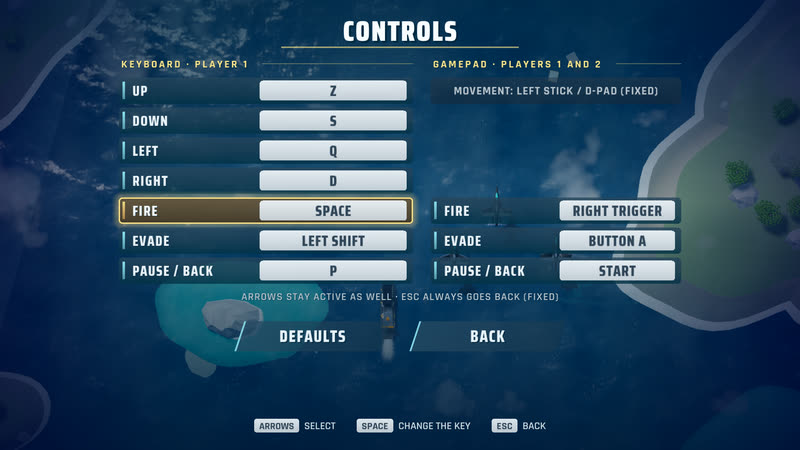
| Action | Keyboard | Gamepad |
|---|---|---|
| Move | Arrow keys, or ZQSD (W and A also work for a QWERTY keyboard) | Left stick or d-pad |
| Fire (hold) | Space | Right trigger |
| Evade (loop) | Left Shift | A button |
| Pause | P or Esc | Start |
In menus: arrow keys to choose, Space to confirm, Esc to go back; the mouse also works. Keyboard keys and gamepad buttons can be changed in Settings, Controls; if two actions conflict, they swap keys. The arrow keys stay active and Esc always goes back.
Reading the screen
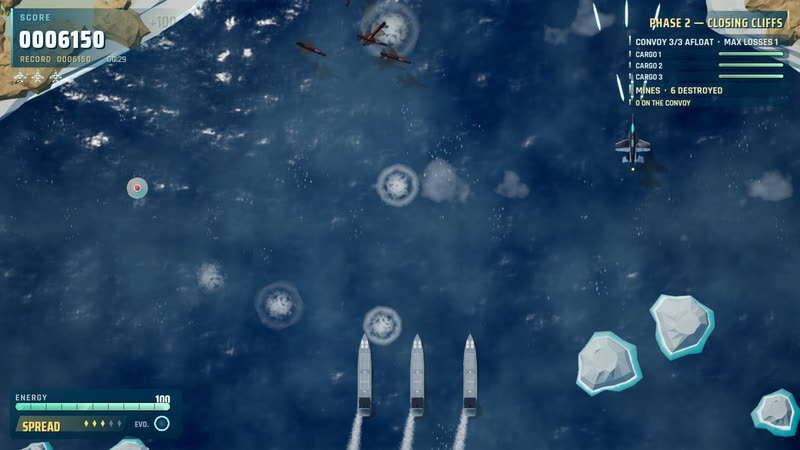
- Top left: your score, the record, the mission time and your lives (one small aircraft per life).
- Top right: the phase of the mission and the state of what you must protect or destroy.
- Bottom left: the energy gauge, your current weapon and the evade ring ("EVD."), which fills while it recharges.
The game reads from the picture more than from text. A few cues: an enemy that pulses is about to fire; an announced projectile is visible before it leaves and can be dodged; small boats are civilians, to be spared; blue frigates are to be protected. The Pause menu recalls the power-ups and the markers of the current mission.
Weapons and power-ups
You have three weapons, each with five power levels:
- Spread: several shots fanned out, effective against groups of aircraft.
- Burst: burst fire, more concentrated ahead of you.
- Rockets: slow and heavy; they do more damage to ships, radars and the modules of large machines.
Destroyed enemies sometimes leave a power-up capsule; large bombers and power-up carriers reliably do. There are six capsules:
- Power: +1 level for your current weapon.
- Spread, Burst, Rockets (a letter E, R or Q marks the capsule in the French version): picking up the same weapon as yours gives a level; another weapon replaces yours and keeps your level.
- Energy: restores energy.
- Penalty (dark red, blinking): -1 level. Avoid it.
Energy, lives and continues
Hits taken and every evade use up your energy. When it runs out the aircraft is lost and you lose a life. You start the campaign with three lives. In the campaign, the lives you have left carry over to the next mission (at least one) and moving on to the next act can give one back, up to three.
When you have no life left, the Continue? screen offers to carry on: the mission restarts and the mission score starts again from zero. Evading protects you for a brief moment, but it costs energy and needs time to recharge: do not overuse it.
Mind the civilians: hitting one costs points and, beyond a damage threshold, loses the mission.
Score
The score rewards enemies shot down and objectives achieved. At the end of a mission, the results screen adds the mission score, a survival bonus and a bonus for lives left, then gives your rank and flags a new record. Replaying a mission to beat your record is one of the pleasures of the game.
Two-player play
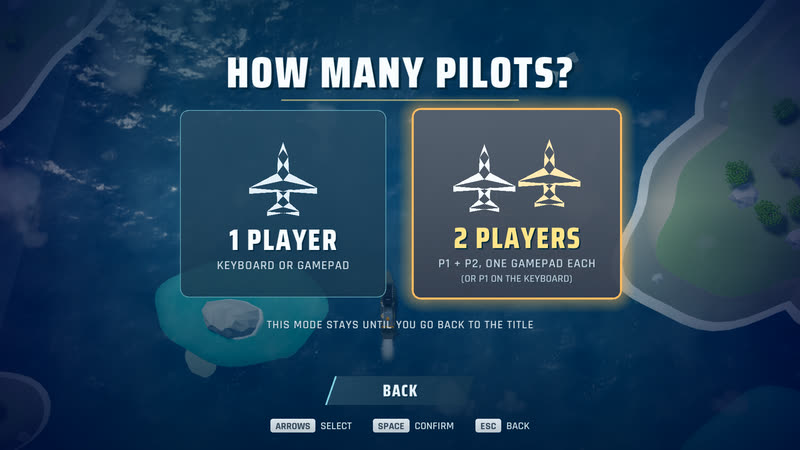
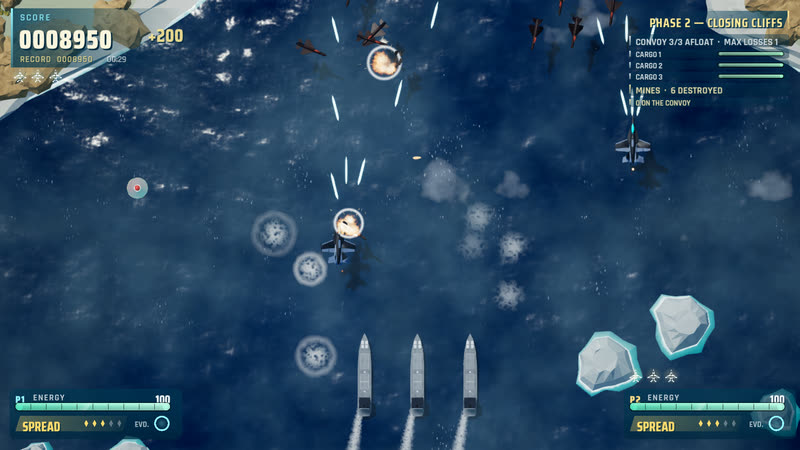
The game is played solo from start to finish; two-player play is an option, local, on the same PC (there is no online play). Choose 2 players on the choice screen: the first pilot plays with keyboard or gamepad, the second joins with a gamepad. Each pilot has their own weapon, energy and lives. The Pause menu lets one pilot leave the two-player game.
Settings
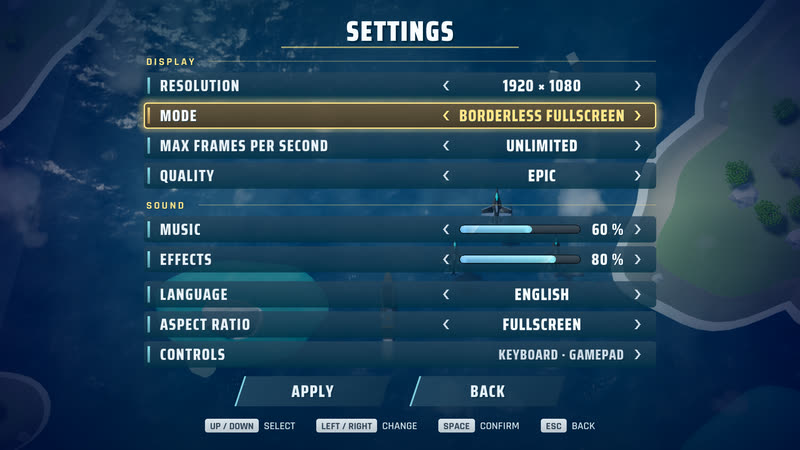
The Settings screen offers:
- Display: resolution, mode (full screen, windowed), maximum frames per second, quality.
- Sound: music and effects volume.
- Language: English or French.
- Aspect ratio: full screen, 16:9, 21:9 or 32:9, for wide screens.
- Controls: see above.
After a display change, the game asks you to confirm; with no answer it goes back to the previous settings.
General tips
- Act I, Incident: learn to keep whatever you are protecting inside your firing zone, and to spot the capsules. Pick up weapon power-ups early: one more level changes a lot.
- Act II, Blockade: each mission adds a new constraint. Read what the screen shows before you fire, and use the Pause menu to review the markers.
- Act III, Rupture: keep energy and lives for the end of the campaign; mistakes cost more.
- Everywhere: keep moving, keep firing, save the evade for situations with no way out, and do not shoot what you are meant to protect.
- Bosses: they are destroyed in parts. Watch which parts fire, and in which order they go out.